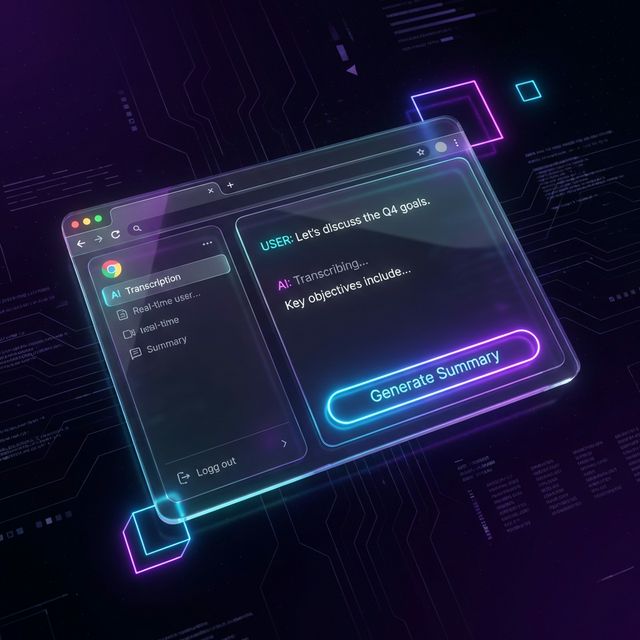
Your memory isn't perfect. VoiceScribe captures every word of your Zoom meetings and lectures. Unlimited transcription and smart summaries at zero cost.
Handwriting is slow. Typing breaks your flow. With Sidebar Mode, VoiceScribe is your cognitive safety net: capturing everything while you stay focused on the conversation.
See Sidebar Mode in ActionYour personal assistant, always active.
Break the language barrier. Accurate transcription in English, Spanish, French, Japanese, and more. Like a 24/7 personal translator.
Turn a 1-hour talk into a 5-minute read. AI distills the vital info so you can focus on what matters.
Unlike others, we process everything locally in your browser. Your secret meetings stay secret.
"I used to lose half the meeting taking notes. Now VoiceScribe does it for me and I actually participate. It's my competitive advantage."
"Being able to summarize a 2-hour lecture into key points saved my semester. I should be charging for this tool."
No credit cards. No tricks.
Get started with VoiceScribe in three simple steps
Click 'Add to Chrome' button on the Chrome Web Store page
Click the puzzle icon 🧩 and pin VoiceScribe for quick access
Click the extension icon and allow microphone access when prompted
This free offer is limited to early v1.4 adopters. Install today and guarantee your access for life.
Install VoiceScribe NowCompatible with Chrome, Brave and Edge.
Everything you need to know about VoiceScribe
Right now, VoiceScribe is 100% FREE for a limited time. We want you to try the tool with zero barriers. We may introduce paid plans later, but if you join now you'll enjoy everything at no cost.
We use advanced Web Speech API technology, achieving over 95% accuracy in clear audio conditions. It works best with a good microphone and moderate background noise.
Yes. VoiceScribe captures your microphone audio. If you use speakers, it will pick up meeting or video audio too. For best results, use your system's "Stereo Mix" mode if available.
Absolutely. Privacy is our #1 priority. Transcriptions are processed locally in your browser. We only send text to OpenAI when you explicitly request a summary, and nothing is stored on our servers.
No. Since VoiceScribe is free, you can use our AI directly. If you prefer to use your own API key for more control, we offer that option in settings.
VoiceScribe supports 12 languages including English, Spanish, French, German, Japanese, Korean, Chinese, Portuguese, Italian, Russian, and Arabic. More languages coming soon!
Yes! You can export your transcriptions as TXT or PDF files, or copy them directly to your clipboard. Perfect for sharing meeting notes or saving for later.
The transcription feature requires an internet connection for maximum accuracy. However, your transcriptions are stored locally in your browser, so you can access them anytime.